Shortcuts App
1 Hour Ago
56 MB
3.1.0
Android 5.0 and above
10M+

Description
Android phones contain many apps, settings, files, and functions that people use every day. Opening the same menu again and again can take extra time, especially when a useful option is hidden several screens deep. Shortcuts App provides a simple way to organize frequently used Android functions and access them more quickly.
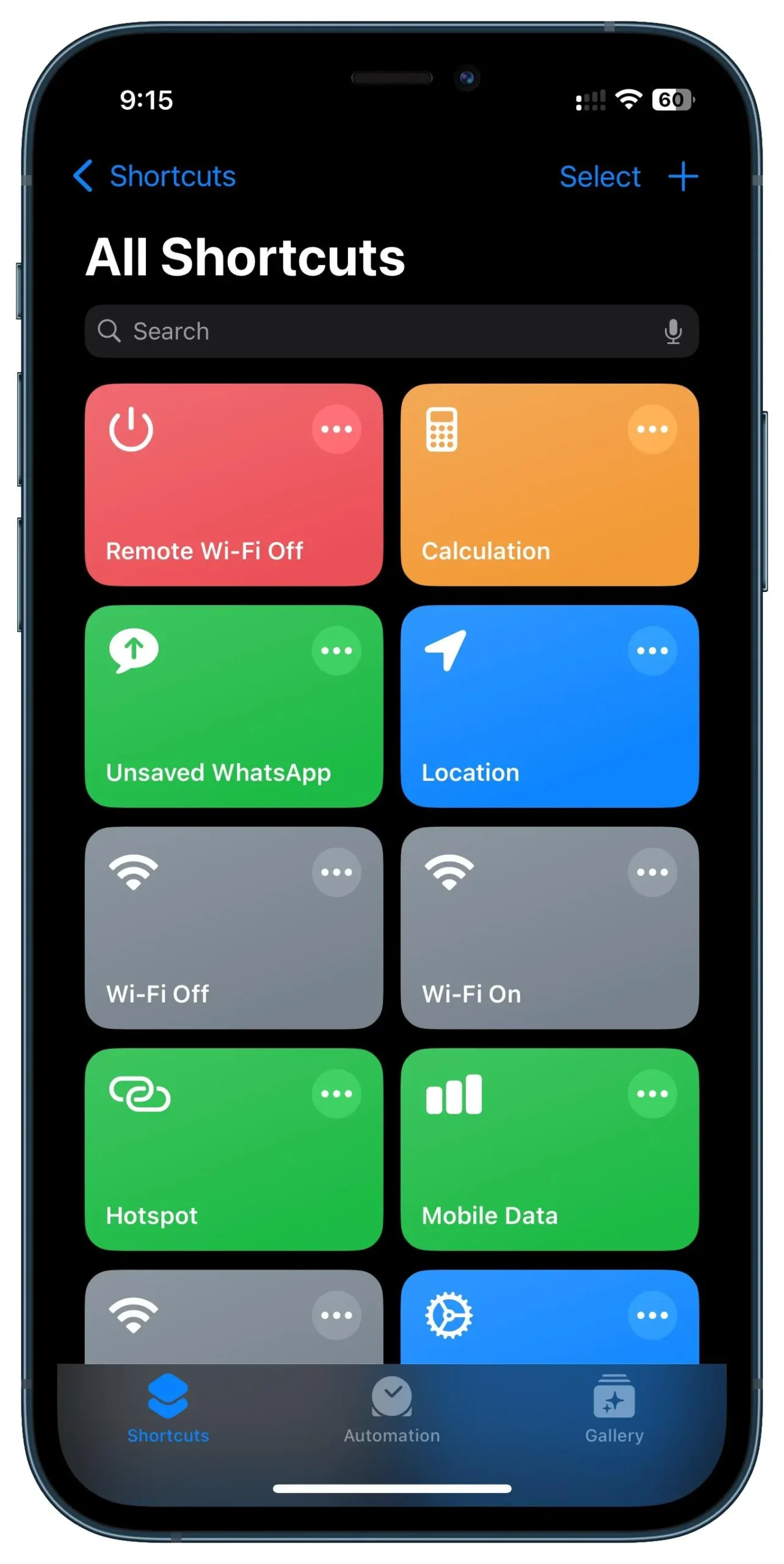
The app is developed by Shortcut Android and focuses mainly on creating and managing shortcuts on Android devices. Instead of searching through different menus whenever you need something, you can create convenient shortcuts for supported functions and place them where they are easier to reach.
For users in Bangladesh, Shortcuts App Android can be useful on everyday Android phones from Samsung, Xiaomi, Realme, Vivo, Oppo, OnePlus, and other brands. The basic purpose remains the same worldwide: reduce unnecessary navigation and make frequently used Android functions easier to access.
What Is Shortcuts App?
Shortcuts APK is a free Android utility application designed to help users create and manage shortcuts on their smartphones. It acts as a practical customization tool for people who want faster access to frequently used apps, activities, settings, and other supported Android functions.
The idea behind the app is simple. Android devices contain many useful features, but reaching some of them may require opening an app or moving through several menus. A shortcut provides a more direct route to a supported destination from an easily accessible location.
This can make the Shortcuts app useful for both regular and experienced Android users. Beginners can use it to keep important functions close at hand, while advanced users may find it helpful when exploring activities and creating a more personalized home-screen setup.
How Does Shortcuts Android Work?
After opening the Shortcuts App, users can explore the shortcut options supported by the application and their Android device. You select the item or function you want to access more easily and follow the available options to create its shortcut.
Once created, the shortcut provides quicker access to that particular destination. For example, instead of repeatedly searching through menus for a frequently used supported function, you may be able to open it directly through the shortcut you created.
The exact options available can differ between Android phones and software versions. Device manufacturers customize Android in different ways, so a shortcut available on one phone may work differently or may not be available on another model.
My Experience With Shortcuts Android App
What I like about the Android Shortcuts app is that it solves a small but common Android problem. Most people have certain apps or functions they open repeatedly, and searching for the same option several times a day can become inconvenient. Creating a direct shortcut makes that routine much simpler.
The app is also useful because you do not need to redesign your entire Android home screen to benefit from it. You can focus only on the shortcuts that actually matter to you, keeping frequently used functions accessible while leaving less important options inside their normal menus.
It may take a little exploration to understand some advanced shortcut options, especially for users who have never worked with Android activities before. Once the basic process becomes familiar, however, creating and managing useful shortcuts feels much more straightforward.
For users who want an easier way to manage group conversations, the GroupMe app is a useful messaging option. It lets you create groups, share photos and videos, send messages, and stay connected with friends, family, classmates, or work teams.
Top Features of Shortcuts App APK
Create Android Shortcuts
The main purpose of the application is shortcut creation. Users can create direct access points for supported Android items instead of following the normal navigation path every time they want to reach the same destination. This is particularly useful for functions you use frequently.
Manage Existing Shortcuts
Creating shortcuts is only one part of the experience. Plus, this Android app also helps users manage the shortcuts they create, making it easier to maintain a practical setup as their Android usage changes over time. You may discover that some shortcuts are useful every day while others are rarely needed.
Quick Access to Apps
Most Android users have a few applications they open much more frequently than others. Shortcuts can make these apps easier to reach without searching through a large app drawer whenever they are needed. This can be particularly helpful on phones containing dozens of installed applications.
Access Supported App Activities
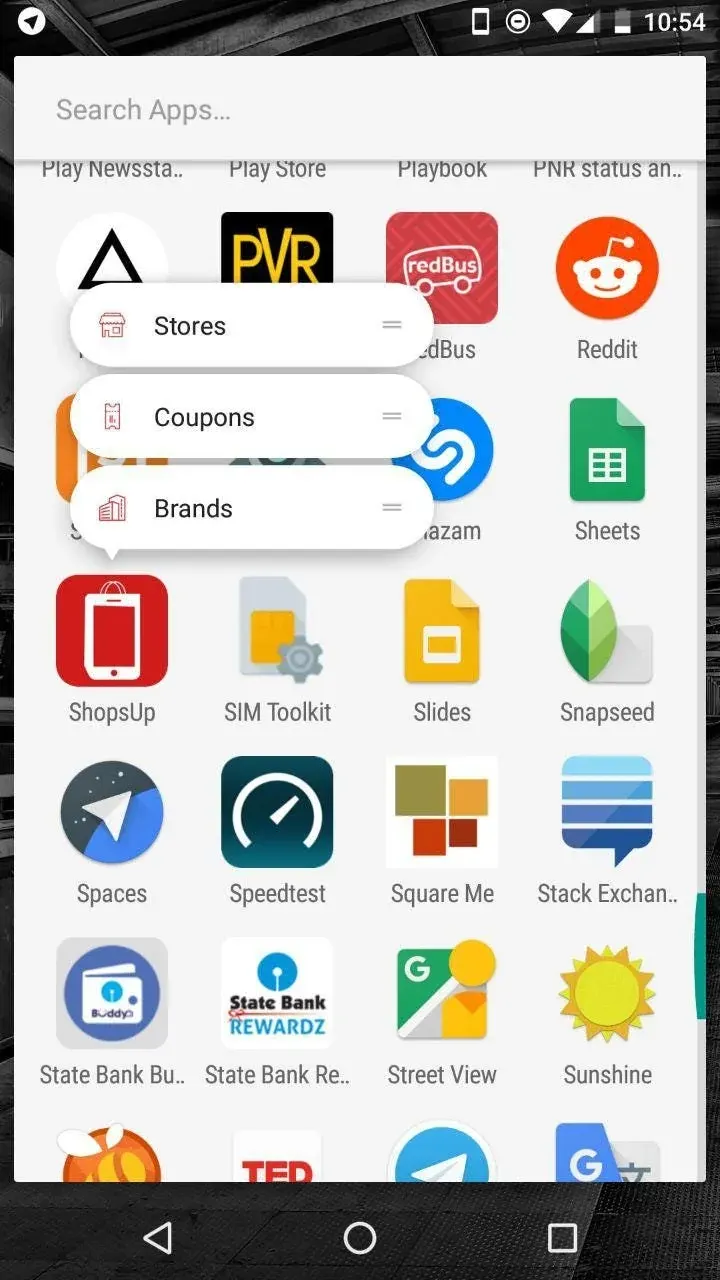
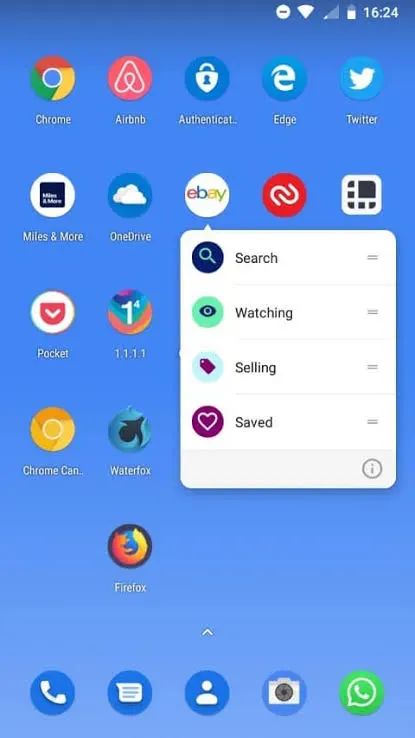
Android applications can contain different activities that lead to particular screens or functions. Depending on what an installed app exposes and what the Android version permits, shortcut tools may provide access to supported activities. This feature is more suitable for users who understand what they are opening.
Home Screen Organization
Shortcuts can also help users create a cleaner and more useful home screen. Instead of filling several pages with unnecessary icons, you can focus on the applications and functions that you actually access regularly. A student in Bangladesh, for example, might prioritize learning apps, communication tools, files, and frequently used settings.
Simple Utility-Focused Design
The Shortcuts app focuses on performing a specific Android utility task rather than filling the interface with unrelated features. This can make it easier for users to understand why they are using the application and what they want to create. A focused design is particularly useful for people trying shortcut management for the first time.
Personalized Android Experience
Every smartphone user has different habits. Some people frequently open messaging apps, while others spend more time using documents, study tools, browsers, or device settings. Shortcuts allow the phone’s accessible areas to better match these habits. Instead of accepting only the default organization provided by Android or the phone manufacturer, users can build quicker routes to the supported features that matter most to them.
Useful for Older or Busy Phones
Finding a particular app can become harder as more applications are installed. A shortcut system provides another way to keep important destinations accessible without repeatedly searching through a long application list. The benefit is not about making the Android hardware faster.
Why Can Shortcuts App Be Useful in Bangladesh?
Android phones are widely used for communication, education, work, entertainment, mobile banking, transportation, and many other everyday activities in Bangladesh. As more applications are added to a phone, keeping frequently used functions organized can become increasingly useful.
A university student may want quick access to study applications and important tools. Office users may prioritize email, documents, or productivity apps, while other people may simply want easier access to Android functions they use several times each day.
The application itself is not limited to Bangladesh. It is a general Android utility that can be used internationally. However, Bangladeshi users can customize their shortcuts according to the apps and Android features they personally use in their daily routines.
Everyday Uses of Shortcuts App
The usefulness of Shortcuts APK becomes clearer when you think about repeated actions. If you regularly spend time searching for the same supported function, creating a shortcut can provide a more convenient way to reach it.
For example, users may want faster access to a frequently used application, a supported activity, or another available Android destination. The specific options depend on the device, installed apps, Android version, and permissions available to the shortcut application.
The best approach is to create shortcuts only for functions you genuinely use often. Creating too many shortcuts can make the home screen harder to navigate, which defeats the purpose of making Android simpler and more organized.
Shortcuts App for Students
Students often use smartphones for classes, online learning, documents, communication, and research. Keeping frequently used educational apps and supported tools easily accessible can reduce unnecessary searching when switching between different study activities.
A student could organize important shortcuts on one home-screen page and keep entertainment apps elsewhere. This simple arrangement can make the phone easier to use during study sessions without requiring any major changes to Android itself.
The same idea can be useful for school, college, and university students in Bangladesh. The app does not provide educational content itself; it simply helps users create faster access to supported tools already available on their devices.
Shortcuts App for Work and Daily Tasks
People who use Android phones for work may repeatedly open the same applications throughout the day. Creating shortcuts for frequently used destinations can make switching between common tasks quicker and keep important tools easier to find.
This can also help users separate different types of activities. Work-related shortcuts can be kept together while personal applications remain elsewhere, creating a home-screen layout that is easier to understand at a glance.
The Android app does not automate every Android task or replace dedicated productivity software. Its main benefit is simpler access, making it most useful when you already know which functions or apps you want to reach more efficiently.
How to Use Shortcuts App APK?
Using the application should begin with a simple shortcut rather than an advanced Android activity. Open the app, explore the supported shortcut options, and select a destination that you already understand and use regularly.
Follow the on-screen options to create the shortcut and add it to the supported location on your device. Once it appears, tap it to confirm that it opens the intended destination correctly before creating additional shortcuts.
If a particular shortcut does not work, it does not always mean there is a problem with the app. Android versions, manufacturer restrictions, permissions, and changes inside other applications can affect whether a particular destination can be opened directly.
How to Download and Install Shortcuts App APK?
Installing this Android application follows the standard process used for Android APK files. Users should first check that the downloaded version is suitable for their Android device and comes from a source they trust.
- Download the APK file.
- Wait for the download to complete.
- Open your Downloads folder.
- Select the downloaded APK file.
- Allow installation permission if Android requests it.
- Tap the Install button.
- Wait until installation finishes.
- Open the App.
- Review the available options.
- Create your first useful shortcut.
Android security settings can vary between phones. If installation from an external source is temporarily enabled, users should keep permissions limited to sources they trust rather than allowing unnecessary apps to install unknown files.
Tips for Using Shortcuts App Better
Creating every possible shortcut is not the best way to use the application. A smaller collection of carefully selected shortcuts is usually easier to navigate and can provide more value during everyday phone use.
- Start with frequently used apps.
- Keep important shortcuts together.
- Use clear shortcut names.
- Avoid filling the entire home screen.
- Test a shortcut after creating it.
- Remove shortcuts you no longer use.
- Be careful with unfamiliar activities.
- Review permissions when required.
- Organize shortcuts by purpose.
- Update your setup as your habits change.
You can also review your home screen occasionally and remove anything that no longer saves time. The goal should be faster navigation, so every shortcut should have a clear reason for being there.
Why Some Shortcuts May Not Work
Android has changed considerably across different versions, and phone manufacturers also modify the operating system. Because of this, a shortcut that works correctly on one Android device may behave differently on another phone.
Installed applications can also change their internal activities after updates. If an app developer removes, renames, or restricts an activity, an older shortcut connected to that destination may stop opening correctly.
Permissions are another factor. Android may restrict access to certain system functions for security reasons. Users should respect these restrictions rather than attempting to bypass protections simply to make a particular shortcut work.
Pros and Cons
Pros
- Free Android utility app.
- Creates useful shortcuts.
- Helps manage shortcuts.
- Can reduce repeated navigation.
- Useful for home-screen organization.
- Supports personalized Android setups.
- Helpful for frequently used functions.
- Suitable for different types of users.
- Simple everyday purpose.
- Can improve access to supported activities.
Cons
- Available options can vary by device.
- Some activities may not open directly.
- Android updates can affect shortcuts.
- Too many shortcuts can create clutter.
- Advanced activities may confuse beginners.
Is Shortcuts App APK Safe to Use?
The basic purpose of Shortcuts App is to create and manage access points on an Android device. However, users should still pay attention to the source of the APK, requested permissions, and the functions they choose to open.
Be particularly careful when experimenting with unfamiliar Android activities. An activity name may not clearly explain what it does, and some internal app screens are not designed to be opened independently by users.
For normal use, focus on shortcuts and destinations you understand. Keeping Android updated, reviewing permissions, and downloading APK files from trustworthy sources are sensible practices for this app as well as other Android utilities.
Who Should Use Shortcuts App?
Shortcuts App can be useful for Android users who repeatedly open the same apps, activities, or supported device functions. It may also appeal to people who enjoy customizing their home screen and creating a phone layout based on their personal routine.
Beginners can start with basic app shortcuts, while more experienced Android users can explore additional supported options. This makes the application flexible without requiring everyone to use its more advanced features.
Users who are already satisfied with their phone’s default organization may not need many additional shortcuts. The app provides the most value when it solves a real navigation problem or reduces steps in something you regularly do.
Conclusion
Shortcuts App APK is a practical Android utility for people who want easier access to frequently used apps and supported functions. Its main purpose is straightforward: help users create and manage shortcuts that can reduce unnecessary navigation around their devices.
For Bangladeshi Android users, the app can be useful for organizing study tools, work applications, everyday utilities, and other frequently accessed destinations. Since it is a general Android app, the same features can also be useful to smartphone users in other countries.
FAQs
No. It is a general Android application that can be used worldwide. Bangladeshi users can use it according to the apps and functions available on their own Android phones.
It can help you create useful shortcuts that can make frequently accessed destinations easier to reach and organize alongside your existing Android home-screen setup.
Android updates, manufacturer restrictions, permissions, or changes to another application’s activities can affect how a previously created shortcut works.
Yes. Beginners can start with simple shortcuts for familiar applications and functions before exploring more advanced Android activities.
It does not increase the hardware performance of your phone. Its benefit is reducing navigation steps, which can make frequently used functions quicker and more convenient to access.
Download links
How to install Shortcuts App APK?
1. Tap the downloaded Shortcuts App APK file.
2. Touch install.
3. Follow the steps on the screen.